What can you change in the avatar editor?
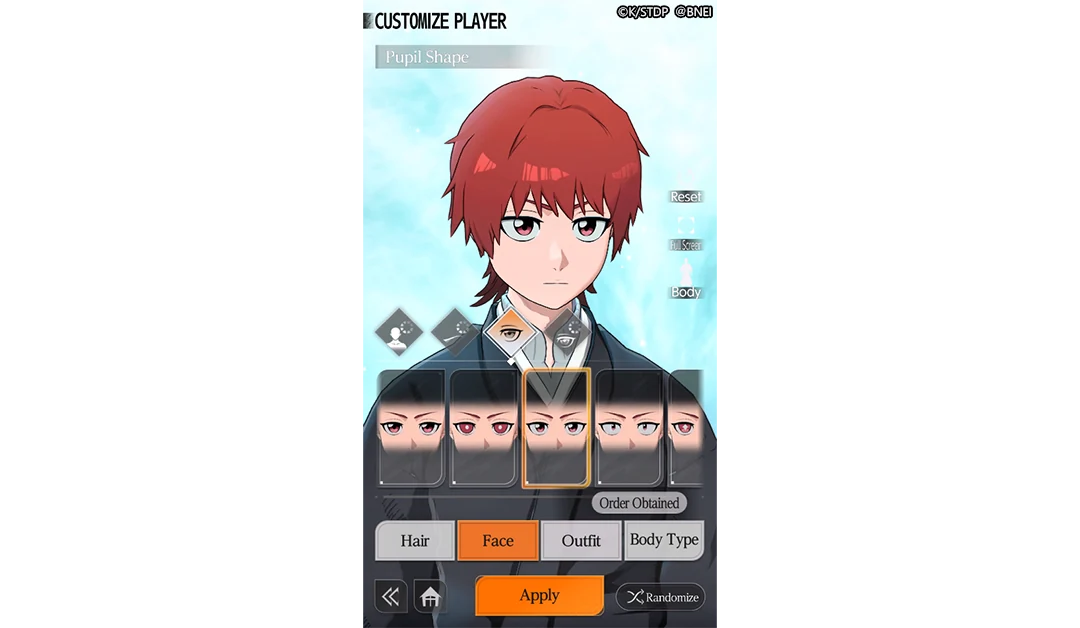
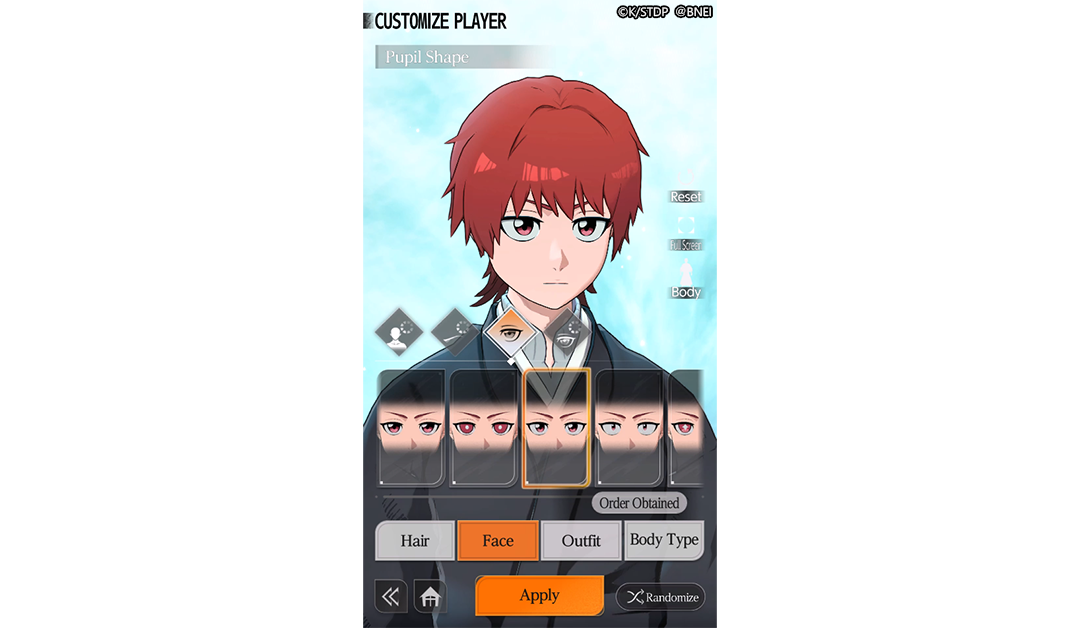
The publisher’s launch overview establishes the broad appearance choices. Its actual editor image makes them easier to locate: Hair, Face, Outfit and Body Type appear along the bottom. In this particular image, the orange Face tab is active and the heading identifies the current subpanel as Pupil Shape. That is a more precise reading than treating every face-related control as one setting.
Look at three areas together: the tab naming the category, the outlined option in the cards, and the large character preview. They answer different questions: what you are editing, which pictured part is selected, and how that selection looks on the avatar. Outfit and Body Type remain separate tabs, so changing the displayed face is not evidence that either of those other categories changed.
The publisher also describes a full color palette, although this selected pupil-shape image does not show every color control. Use the current in-game screen for its available choices; the number of visible cards in one press image is not a total inventory count.
Which Zanpakuto parts appear in the official editor?
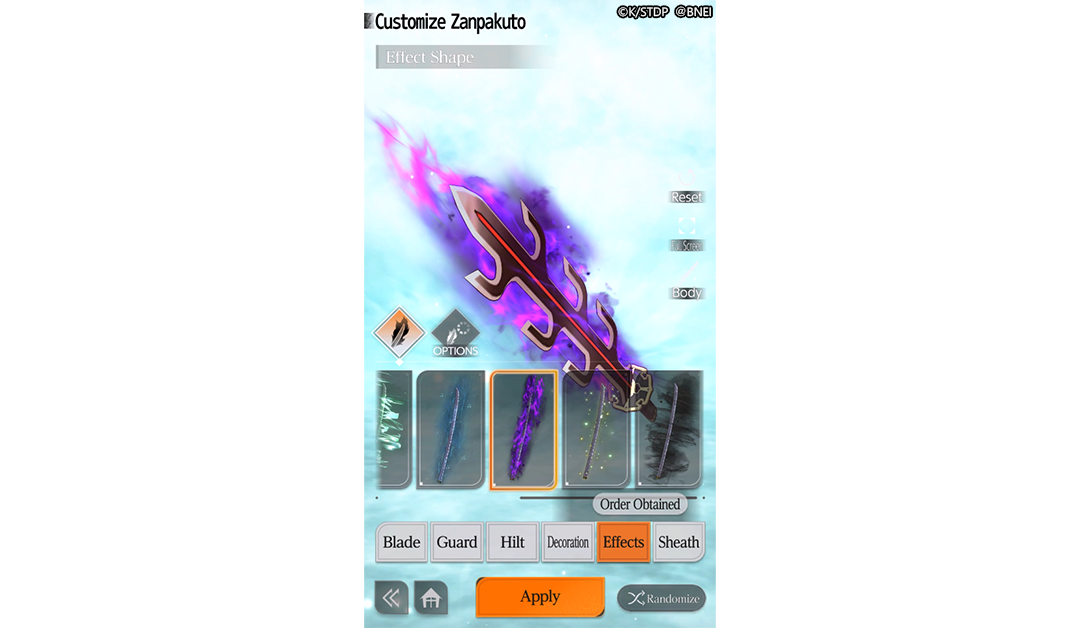
The weapon image shows six labeled tabs: Blade, Guard, Hilt, Decoration, Effects and Sheath. The pictured selection is Effects, with Effect Shape shown above the weapon preview. This lets you distinguish a weapon component from an effect around that component. A purple effect in the preview does not, on its own, establish an element, damage category or combat bonus.
Read this panel in the same order as the avatar panel: identify the tab, compare the displayed part cards, then inspect the assembled preview. The blade, surrounding effect and sheath are separate labeled choices. The official CUSTOMIZE description supports changing the Zanpakuto’s appearance; it does not make this screenshot a guide to unlocking Shikai, Bankai or every possible weapon part.
Are appearance and Battle Style the same choice?
No. The September 17 producer interview discusses protagonist appearance and Battle Style as separate customizations. It names Zanjutsu, Kido and Hakuda and says a character’s style determines close- or long-range fighting. That description explains why a preferred face or weapon shape and a preferred way of fighting are different decisions.
The interview does not assign a combat effect to the pictured pupil or weapon decoration, map each named style to an exact range, or measure which style is strongest. If your question is which action benefits from a defense modifier, use the separate Physical versus Spiritual damage guide; a cosmetic preview cannot answer that battle question.
How should you read Apply and Randomize?
Both images place Apply at the bottom centre and Randomize at the bottom right, below the option cards.
These images are publisher-supplied press screens, not a recording of us operating the live creator. They do not establish initial part availability, later change fees, or the cost and scope of Reset. Match the pictured labels to your current version instead of assuming every visible sample is immediately unlocked.
Where can you read about MC growth and abilities?
Appearance is separate from progression. The MC upgrade guide compares Player Level, Grade and the Special Diploma. The MC skills guide separates equipping abilities from dated Bond-unlock reports.
Where does the created character fit in the game?
The product presents this as your Soul Reaper protagonist experience. The producer explains the choice of Shirin Migishima or Shirane Sanari as a way for players to place themselves in the original adventure. That does not make the creator a confirmed selector for Hollow, Arrancar or Quincy careers. The story guide covers the narrative premise and post-war setting.
If you are still choosing a game because a custom protagonist matters to you, the Soul Resonance comparison addresses that preference. To reach the publisher’s release app, continue to the official download routes. The editor itself is part of the game.